Review Comments (0) Screenshots (5) Questions & Answers (0) Votes (4) Awards (15) Wiki  
(4)
Lokas Software
10.3
www.awicons.com
Shareware
$39.95  Purchase
424 people
Download AWicons Pro

Downloaded 624 times

 
Video tutorial for AWicons Pro 10.0
Frame
This video tutorial has been acquired from Downloadtube.com

Review

This is official description applies to version 10.2

AWicons Pro offers professional graphics editing tools in conjunction with ready-to-use effects and small graphics optimization feature. Thanks to user-friendly interactive interface, online documentation, multiple tutorials and sample icon libraries included in the software package, AWicons is easy to learn and use even for someone who have never tried creating graphics before.
 
The following review written by one of the Software Informer contributors applies to version 10.0

Create, edit and manage your icon library with AWicons Pro. This program has a customizable interface and can quickly create stylish icons from your original designs or from imported PNG, GIF, BMP or JPG files. AWicons Pro fully supports Windows XP icons and all color formats up to True Color with alpha. It has powerful library tools that can quickly pull images from your system and keep your icons logically organized.

With AWicons Pro you can design your own icons using many drawing tools like pen, line, ellipse, polygon and more, or create them from existing images. It has a search function that can pull icons from Windows executables, libraries and animated cursor files, ZIP and RAR archives or from the clipboard.

AWicons also let's you to edit icons using drawing and effects tools such as shadow, hue, saturation, 3D shadow, sharpen and more. Changing the opacity, brightness or format of an icon is easy through the drop down menu or tool bar. While you are changing the color effects, you can actually see how it changes your icon without having to leave the dialogue. You can load and save images in many formats including PNG, GIF, BMP and JPG.

Overall, AWicons is a good product for creating, editing and managing icons. This program supports over 20 languages and can store images in a wide variety of formats and sizes.
  • Very easy to use interface; advanced design effects and options.
  • You cannot create Windows Vista compliant icons.

Reviewed by: Daniel Mantilla

Reviewer rating:

Reviewed: 3 years ago

What's new in version 10.2

Nothing new.
Report a wrong version Report a wrong program title Suggest a correction

Screenshots

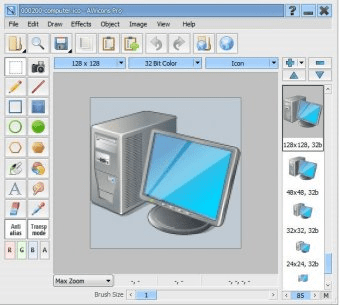
Main Window Main Window Main Window Main Window Applying 3D Shadow Effect Applying 3D Shadow Effect Interface Options Interface Options
All 5 screenshots

Latest comments


There are no comments, be the first one!
Add new comment

E-mail Address:

Password:

Register now »

Forgot password?

Sign in with:
.ico .ico
.ani .ani
.cur .cur
.icl .icl
Download Software Informer Client
Copyright © 2012, Informer Technologies, Inc. About| Privacy and terms| Help| Feedback & Support| Partners program